DiPlay: CarPlay on a Spare Android Device
How an open-source Android app turned a spare device into a CarPlay receiver for a car that never had it.
Highlights
- Found DiPlay, an open-source CarPlay receiver that runs on Android
- Ran it on a standalone device instead of replacing the car's head unit
- Got CarPlay on screen in a car that never shipped with it
- Documented the off-label setup and where it will need more testing
Tools
Links
A friend’s car doesn’t have CarPlay. Nothing is broken - the head unit just doesn’t support it, and the usual answers are to buy a new head unit, buy a dongle, or live without it. Before spending money, I wanted to see how far the software-only route could go. That’s how I ended up reading through DiPlay.
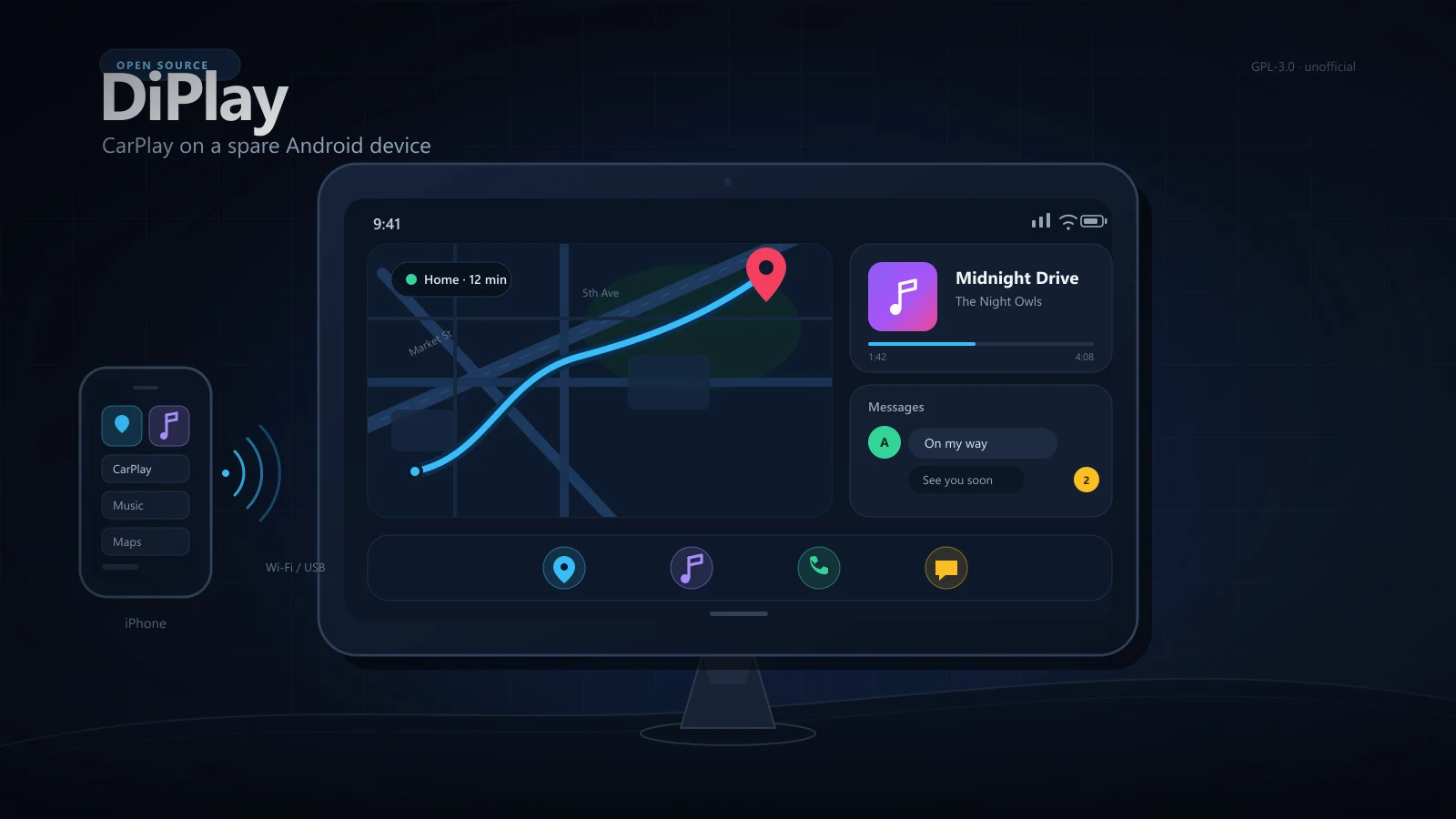
DiPlay is an open-source CarPlay receiver that runs on Android. Instead of adding another box between the phone and the screen, you install an app on the Android side and let it speak CarPlay with your iPhone. We had a spare Android device, so we used that.
#What DiPlay actually is
The project describes itself as a CarPlay receiver for compatible BYD Android head units. It supports wired USB and wireless connections, installs as a regular APK, and doesn’t need a dongle, a jailbreak, a Mac, or an Apple account. It’s GPL-3.0, based on xcertplay, and the home and settings UI adapts DiAuto.
The “compatible BYD” part is the catch. Officially, other Android hardware is unsupported, so running it on a standalone phone or tablet is off-label. That’s exactly why it made a good lab: we weren’t validating a supported configuration, we were testing whether the idea holds up in practice.
CarPlay comes in from the iPhone, DiPlay turns the Android device into the receiver, and audio leaves toward the car.
#Why not just buy a head unit?
The standard fix for “my car doesn’t have CarPlay” is hardware: a new head unit, or a wireless dongle for a car that already supports CarPlay. Neither fit here.
- The car is a daily driver, not a project car. Pulling the dash apart for an experiment is a bad trade.
- A spare Android device was already sitting in a drawer.
- The car stays completely stock. If the experiment fails, you remove the device and nothing changed.
- It’s cheap and reversible, which is the whole point of a lab.
#The setup
The short version: get DiPlay onto the Android device, then connect the iPhone.
- Sideload the DiPlay APK from the releases page. The app supports Android 7.0+, and the device has to allow APK installs from outside the store.
- Connect the iPhone. DiPlay can go over USB or wireless, using Wi-Fi Direct, the car’s hotspot, or an existing network.
- Give the device power and a place to live. A phone or tablet in a car needs constant power, otherwise the battery becomes part of the experiment.
- Solve audio. The Android device is both the screen and the audio source now, so it needs a path to the car’s speakers.
If you’re sideloading over ADB, it’s one command:
adb install -r DiPlay-0.2.21.apk
Check the release notes for the current version before copying that command.
#How it went
For a first setup, the core loop worked. The CarPlay interface rendered on the Android screen and touch input felt responsive, which is really all you need to know the idea is sound. It behaves like a receiver, not a mirror: the iPhone sends the CarPlay session, and the Android device becomes the display.
The limits are worth knowing before you buy anything:
- It’s a standalone screen. No steering-wheel controls, no reverse camera, no integration with the car’s own buttons or menus.
- The Android device is doing the heavy lifting, so heat and battery life matter.
- Calls and Siri depend on where the device’s microphone ends up once it’s mounted.
- Officially unsupported hardware means no guarantees when something breaks.
DiPlay bundles an experimental accessory identity recovered from public Carlinkit firmware. It works today, but a future iOS update could change that. Treat it as a tinkerer’s receiver, not a product you can rely on.
#What I’d do next
- Build a proper mount and hide the power cable, so it doesn’t look like a science project.
- Test it on longer drives: navigation audio, a few calls, heat on a summer afternoon.
- Automate launch and reconnect on power, so the driver never has to touch the device.
- Compare it with a Carlinkit dongle if reliability becomes the priority. A supported path is still the boring answer.
For now, the lab did its job: a car that never had CarPlay is running CarPlay, using a spare device and an open-source app. If you have a non-BYD Android device lying around, the repo is worth a look - the maintainers collect compatibility reports, and the project is GPL-3.0 licensed.